When you export a video with burnt-in subtitles, Sundra keeps the finished MP4. So if you need the file again (on another computer, for a colleague, or because the download went to the wrong folder), there’s no need to render it a second time.
There are two places to find your exports.
Option 1: From the video’s Export dialog
This is where every completed export of a video lives, however long ago you made it.
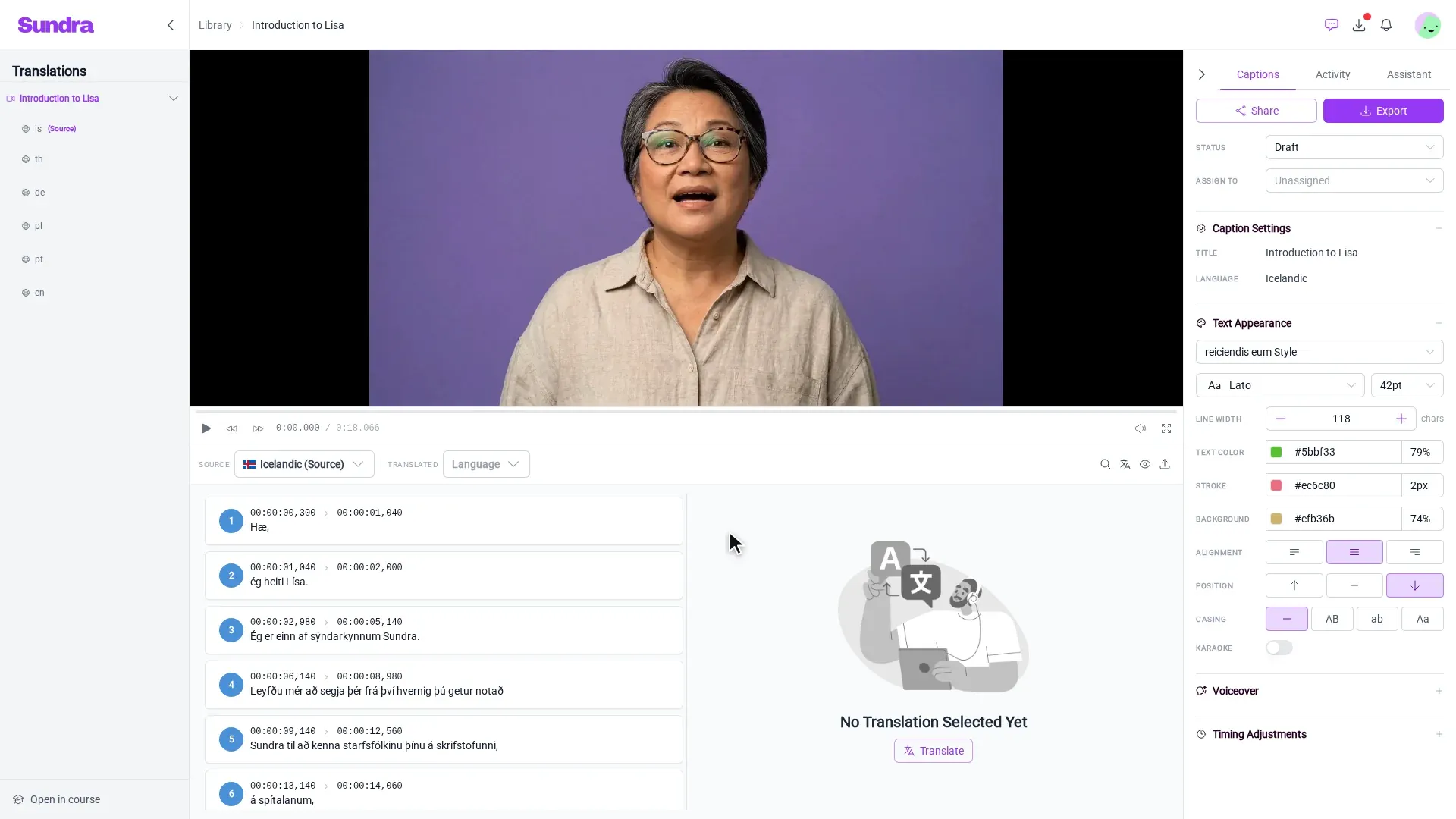
Step 1: Click Export
Open your video from the Library, and click Export at the top of the Captions panel on the right.
Step 2: Select the Video tab
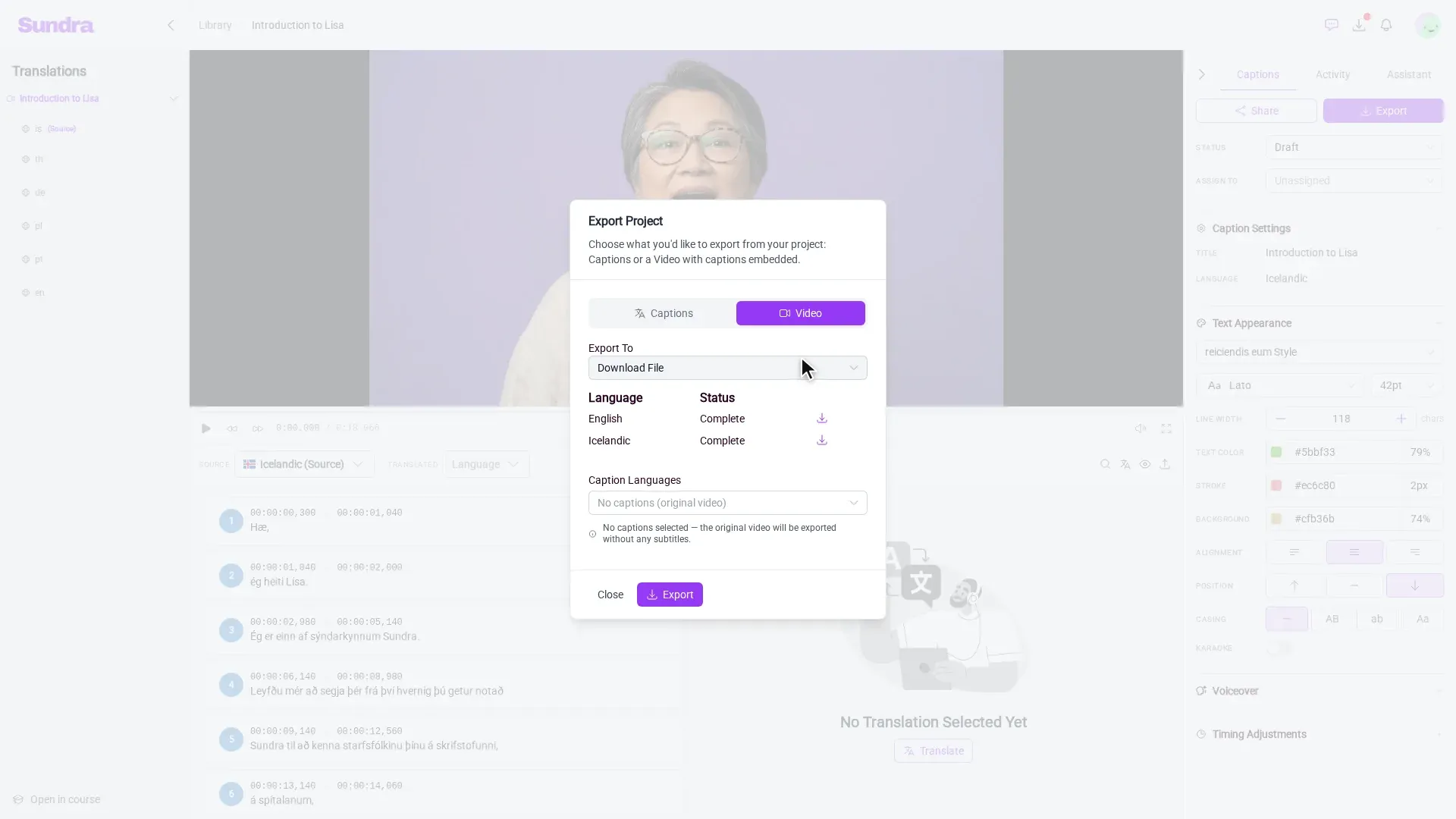
In the Export Project dialog, select the Video tab. Below Export To, a table lists every language this video has been exported in, with its Status.
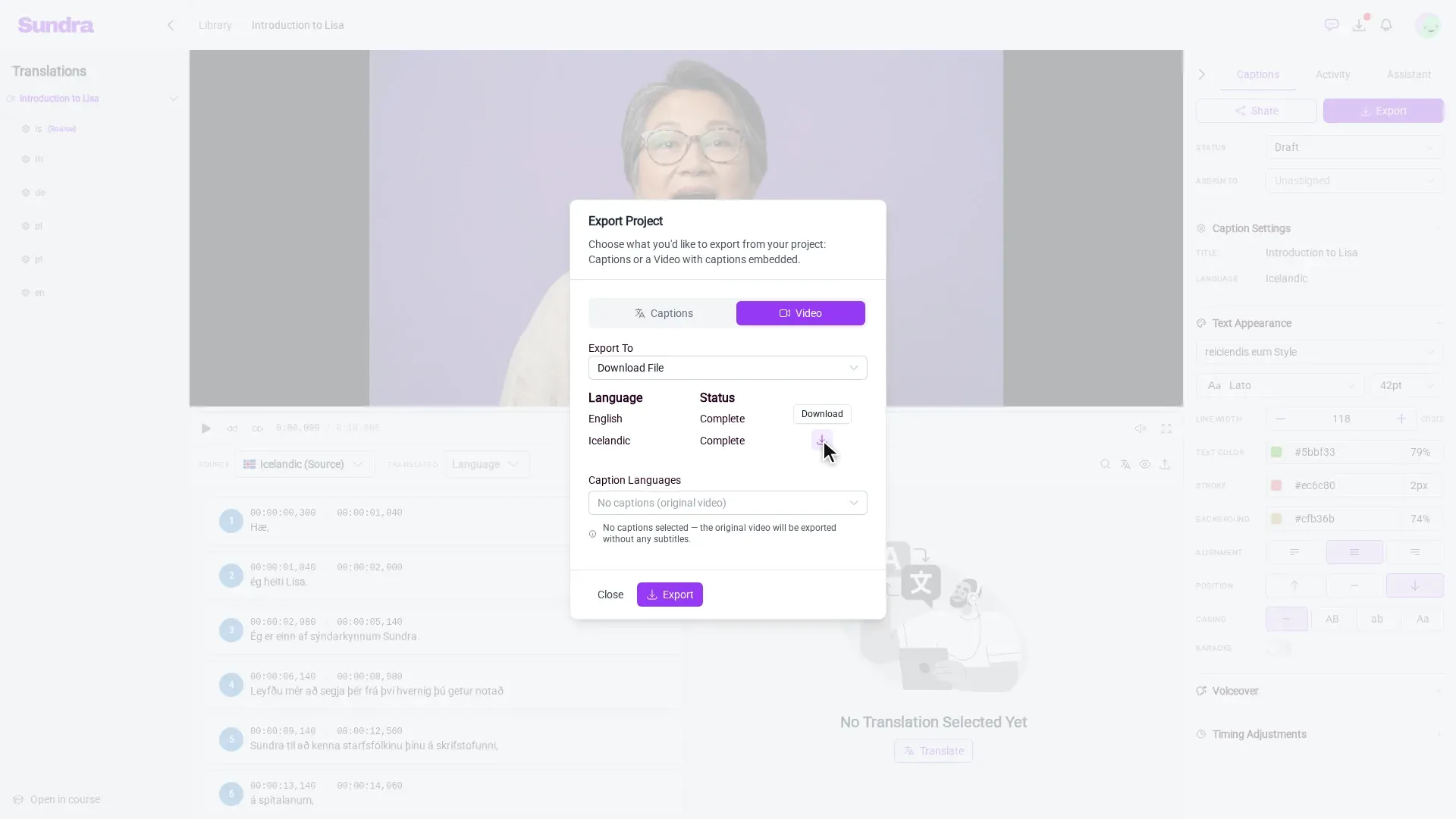
Step 3: Download the one you need
Click the download icon next to any export marked Complete, and the MP4 is saved to your computer.
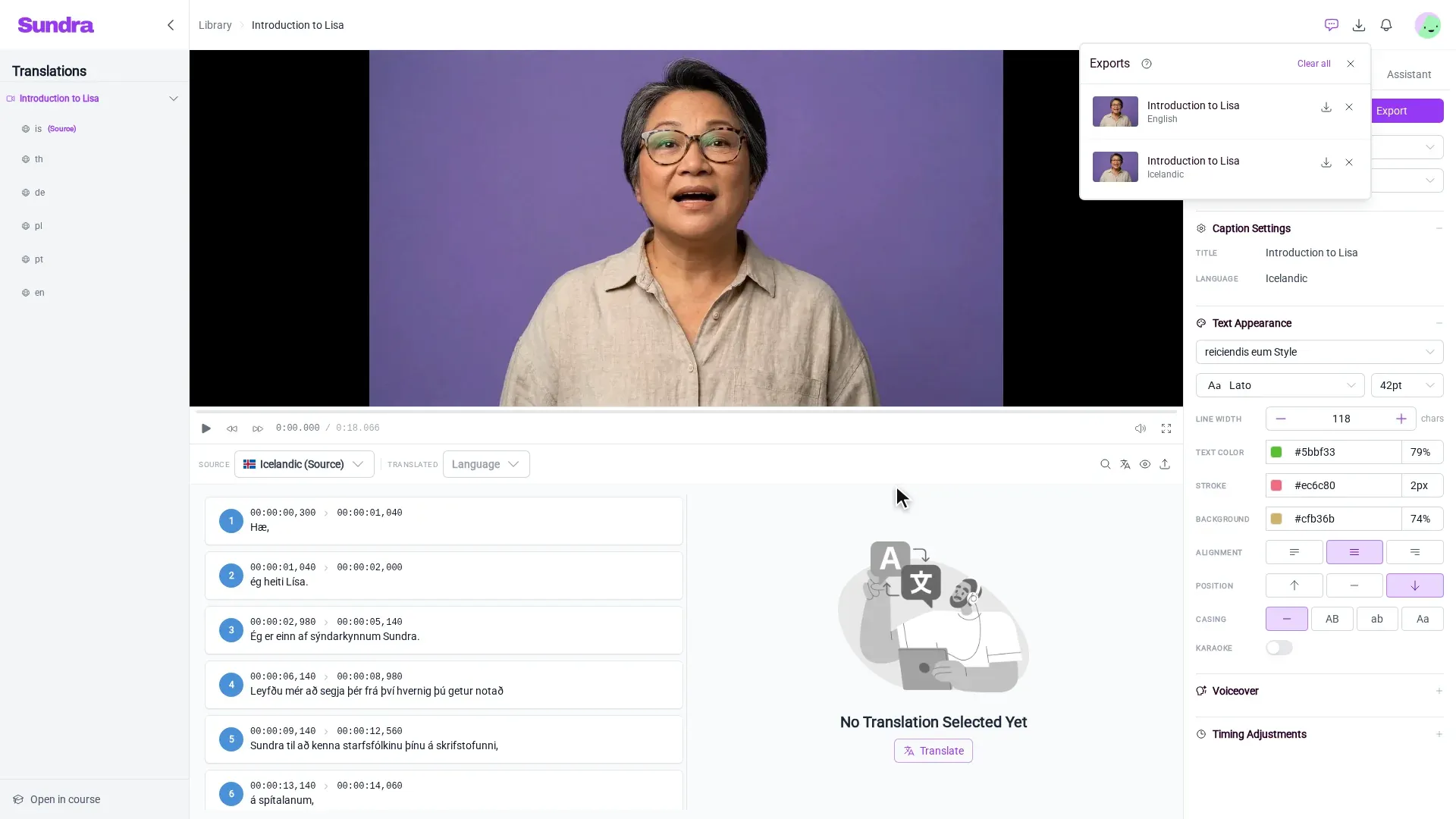
Option 2: From the Exports widget
The download icon in the top bar opens the Exports widget. It shows exports that are still rendering and the ones that finished recently, across all your videos, each with its language and its own download button. A badge on the icon tells you when something is in progress.
It’s the quickest way to grab a render you’ve just started. For anything older, use the Export dialog in Option 1.
Good to know
- Edited the captions since? A previous export still has the old subtitles burned in. Export the video again to get your latest changes.
- Need a language that isn’t listed? It hasn’t been exported yet. Pick it under Caption Languages in the same dialog and click Export.
That’s it!
Your finished videos are always a couple of clicks away. Questions? Reach out to us at hello@sundra.io.